Run operational work from one accountable workspace.
OpAssistant gives teams a structured place to manage requests, approvals, time, inventory, customer follow-up, and SOPs without spreadsheet handoffs or missing context.
- Connect purchasing, tasks, time, customer follow-up, and inventory in one app.
- Keep each module close to SOPs so teams know what to do next.
- Use dashboards and module views to spot overdue work before it stalls.
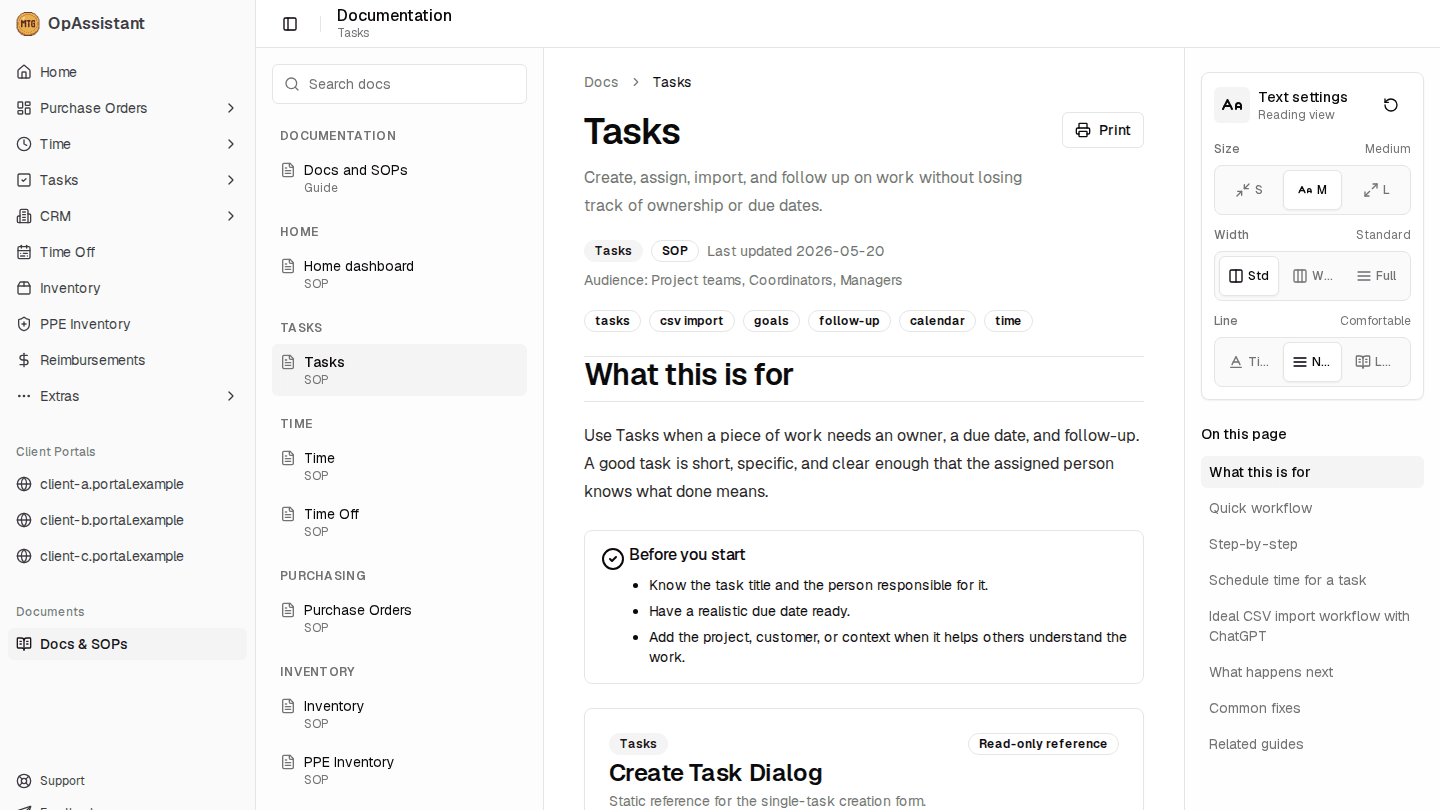
Docs, modules, and daily execution in one shell
Task SOPs and module navigation inside the app shell
Built for the work operations teams repeat every day.
OpAssistant keeps the operating system of the business visible: who owns the next action, what is waiting, and where the supporting record lives.
Single operating shell
One authenticated workspace for modules, documents, team shortcuts, and account-level access.
Process visibility
Tasks, SOPs, and module records stay close together so handoffs are easier to audit.
Operational data model
Customers, projects, people, inventory, and finance records can support each other instead of living in silos.
Purpose-built modules with shared context.
The current workspace combines daily execution modules with docs and admin tools, then leaves room for specialized systems like ALAS.
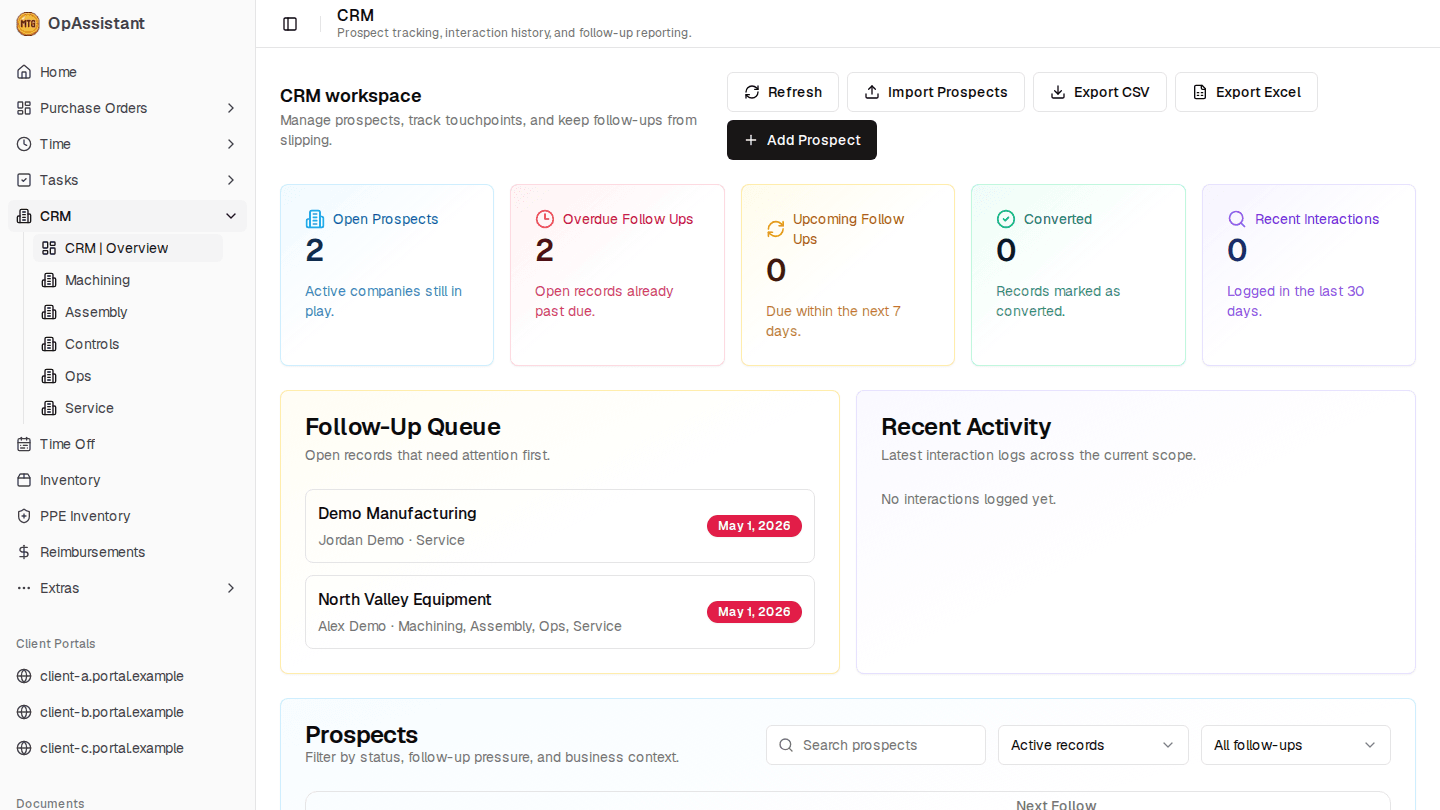
CRM follow-up work stays visible in the same shell
Prospect metrics, queues, and module navigation in context
Purchase orders
Create, review, approve, and track purchase work with project and customer context.
Tasks
Assign owners, due dates, priorities, imports, and follow-up from one shared queue.
CRM
Track prospects, customer context, business units, and the next follow-up date.
Time and time off
Record work, schedule time ranges, monitor availability, and support approvals.
Inventory and PPE
Keep stock, PPE readiness, locations, and movement history visible to teams.
Docs and SOPs
Put workflow guides inside the app so each module has operational instructions nearby.
A practical path from request to record.
OpAssistant is intentionally direct: capture the work, attach ownership, route the right people, and keep the final record findable.
Capture structured context
Create the record with the customer, project, dates, budget, owner, and supporting notes needed for the team to act.
Route work to the right person
Use module ownership, role access, and status views to keep approvals and follow-up moving.
Document what happened
Keep SOPs, records, timestamps, and related modules available after the work is complete.
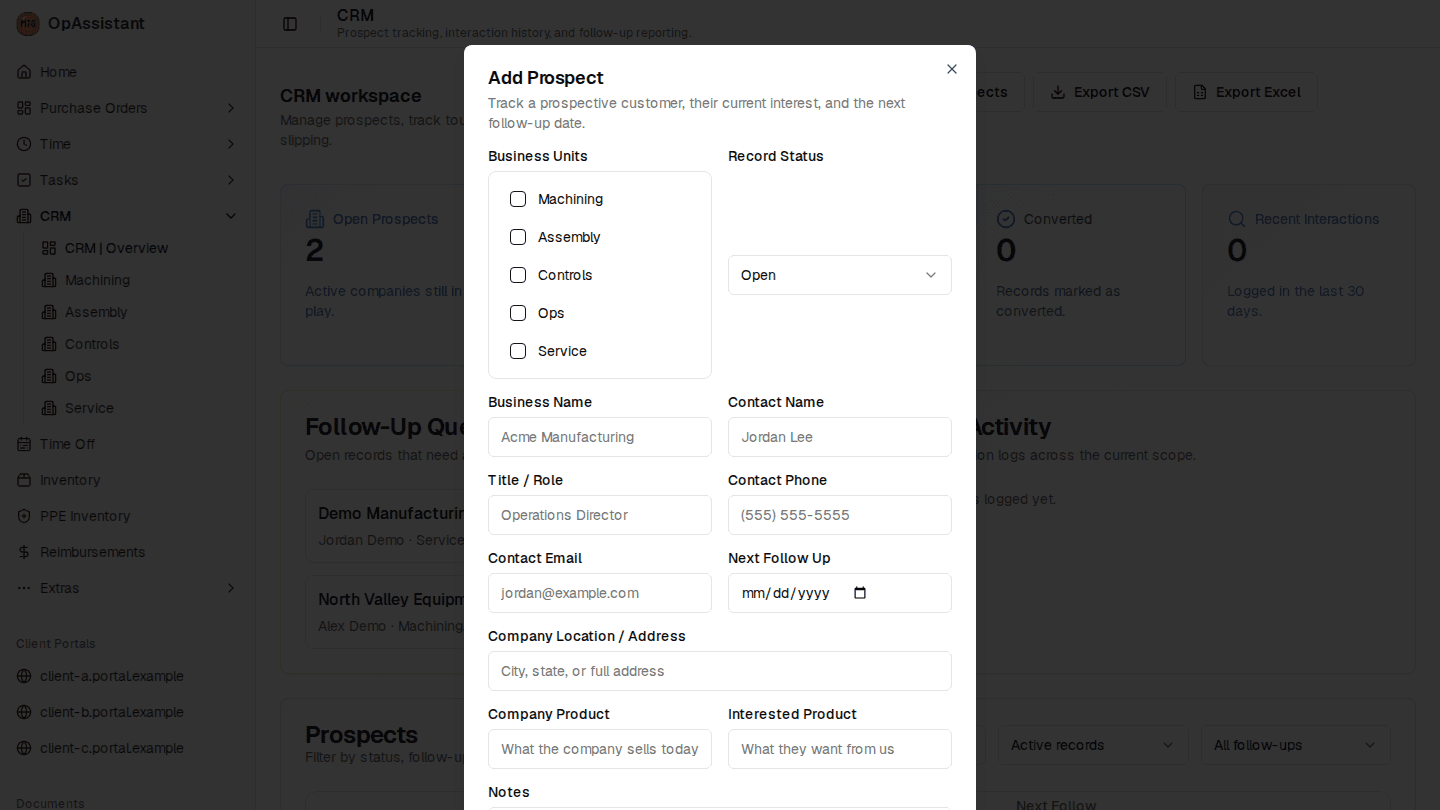
Forms capture the fields operations teams need later
Business-unit, contact, follow-up, and notes fields in one record
Quiet software for accountable operations.
The site should show the product as a working system, not a generic marketing page: visible modules, real screens, and concrete workflows.
Module records with ownership
Trackable
SOPs attached to workflows
Findable
Customer and project context
Shared
Specialized solutions
Extensible
ALAS automates labor time studies with video analysis.
The Automated Labor Analysis System is a separate OpAssistant solution for uploading study video, defining work regions, and turning activity into usable labor metrics.
- Independent from the core OpAssistant app today.
- Designed for labor time studies, ROI rules, and activity attribution.
- Supports setup, analysis review, reporting, and export from one focused workflow.
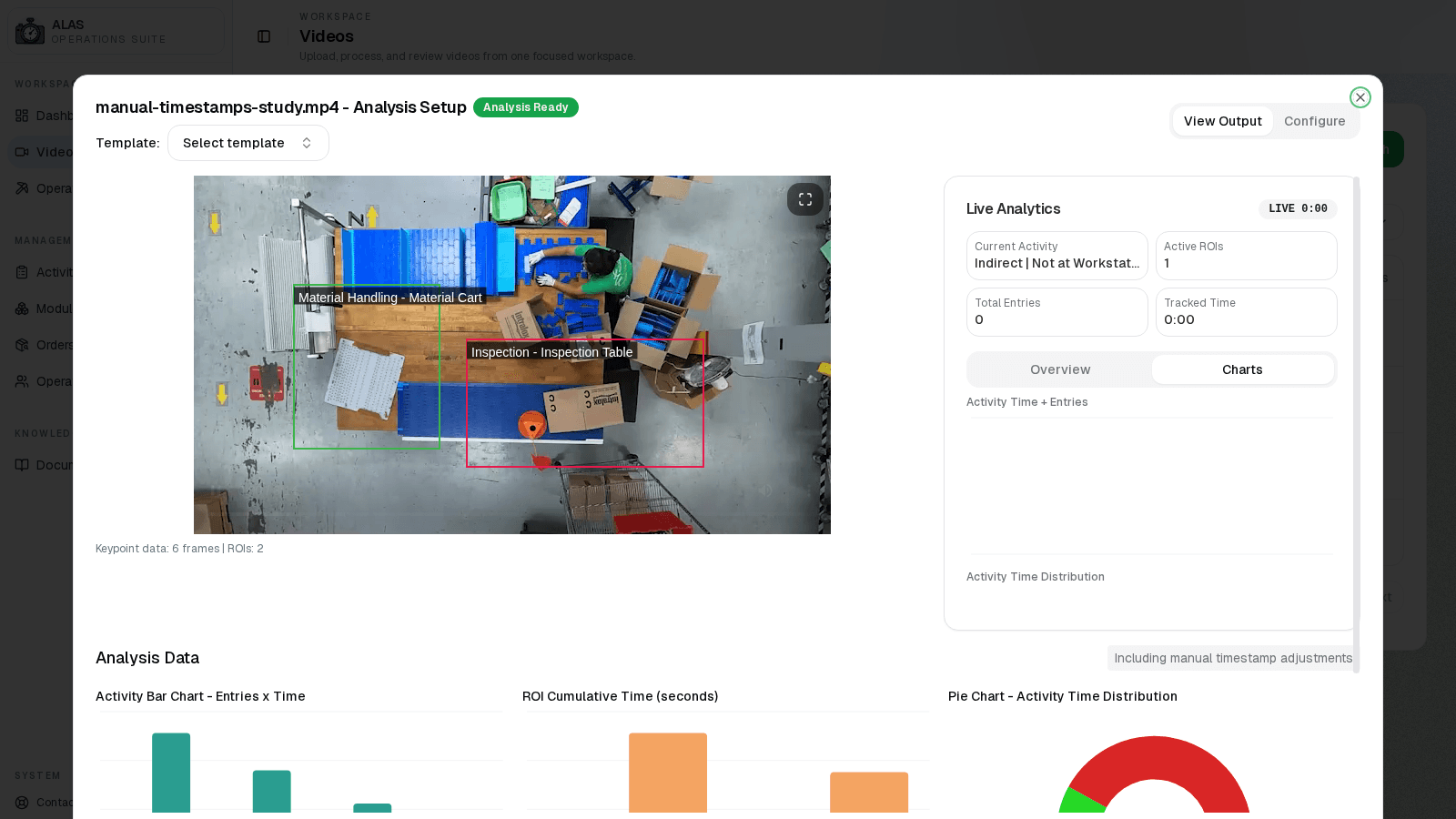
ROI events become charts, metrics, and exports
Activity charts, ROI metrics, and export controls
Product media from the working applications.
These frames show OpAssistant and ALAS workflows so prospects can inspect how each product works in context.
CRM prospect workflow
Prospect intake fields and follow-up context in the OpAssistant CRM flow.
CRM workflow guidance
Prospect metrics, follow-up queue, and CRM module navigation shown side by side.
ALAS analysis output
Analysis charts, ROI metrics, and export controls from the ALAS flow.
Request a walkthrough.
Tell us which workflows you want to modernize and we will walk through OpAssistant, ALAS, or both.